 Scale Overlayby Flowfix Audio£11.99
Not on sale yet. This product is still in development. Questions? Get in touch.
See your scale on Logic Pro’s piano roll.
Scale Overlay finally lets you highlight scales on the piano roll in Logic Pro and GarageBand. It follows Logic’s Scale Quantize automatically, so every note you place fits.
Not on sale yet. This product is still in development. Questions? Get in touch.
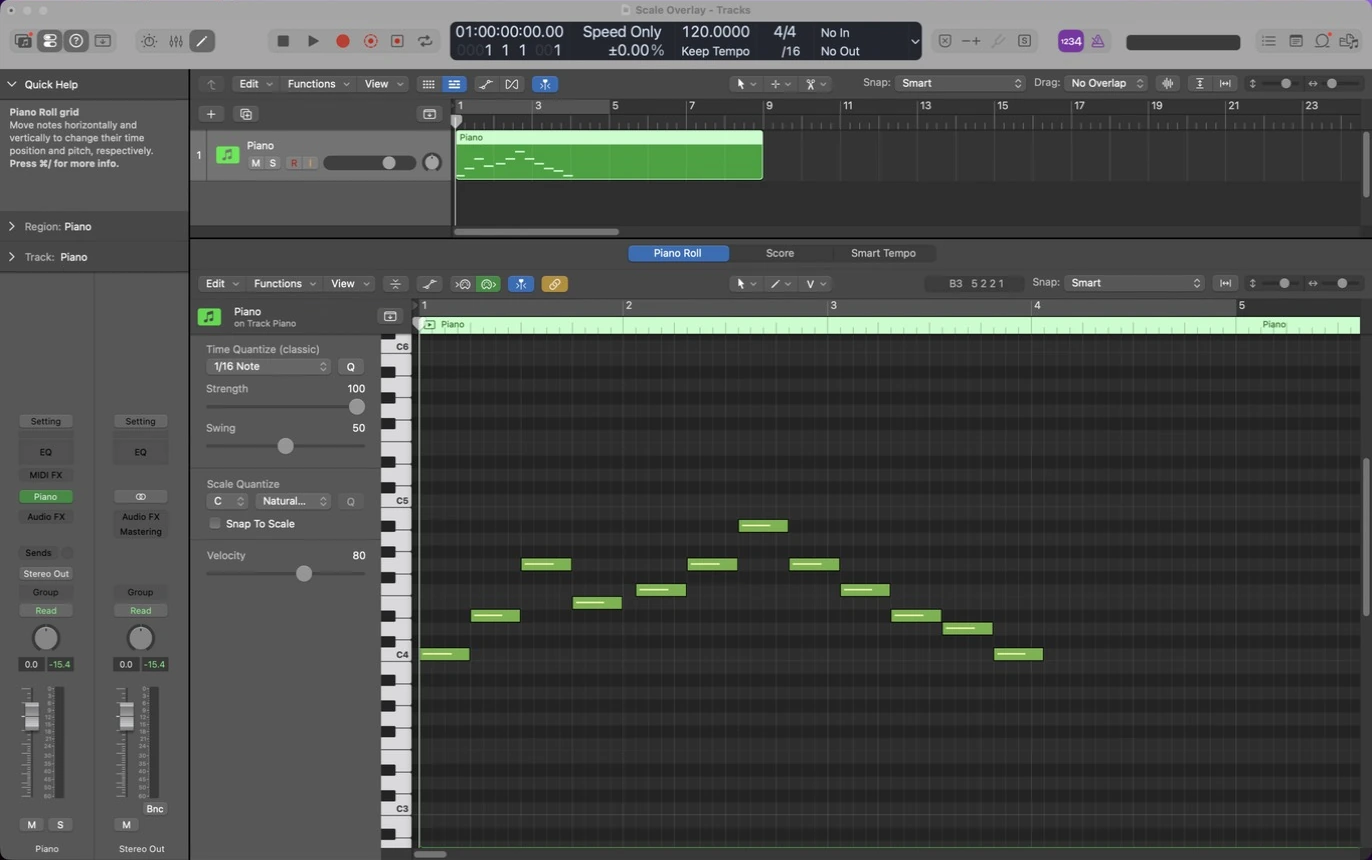
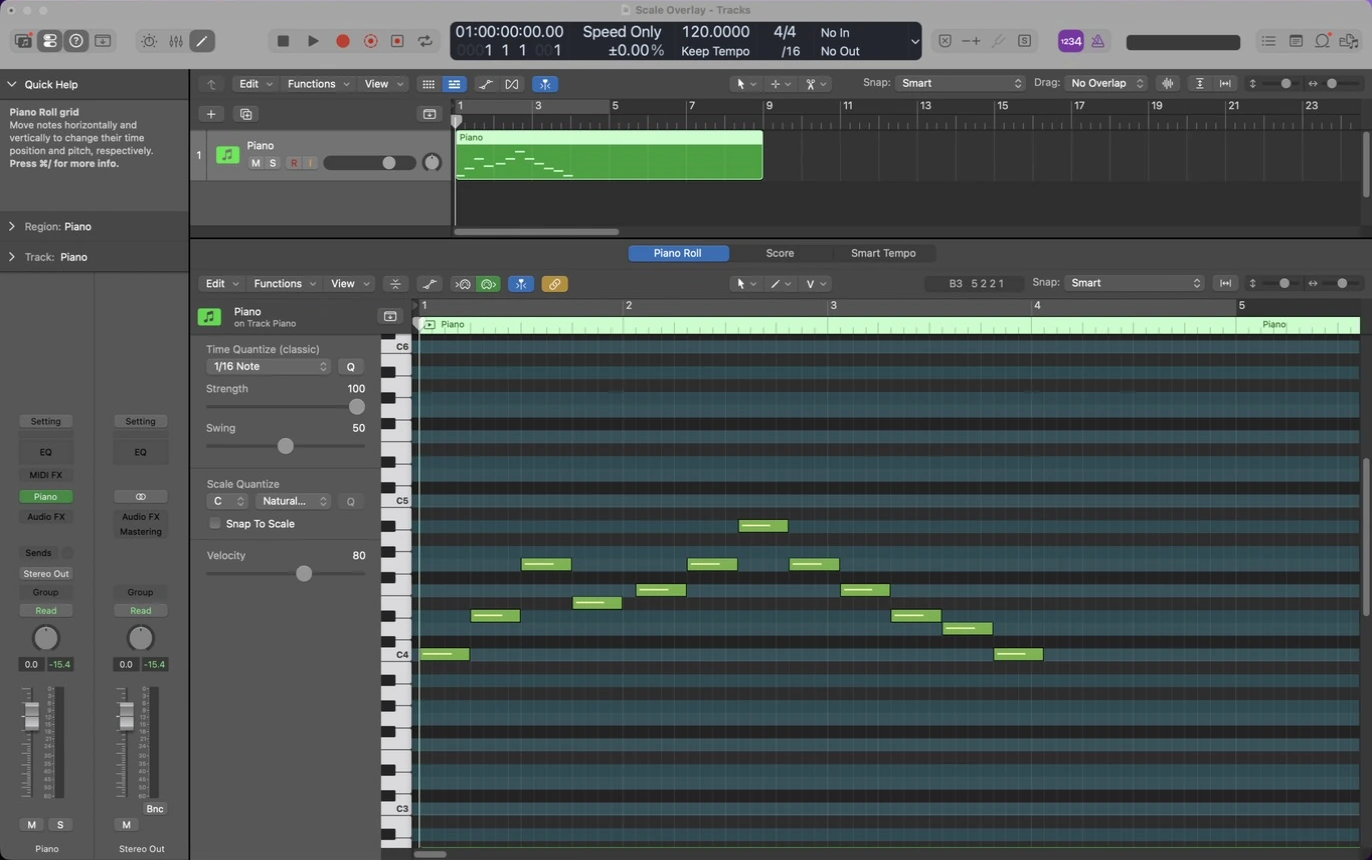
- Follows Logic’s Scale Quantize
- All 28 Logic scales
- Never changes your project
- Works with Logic Pro and GarageBand
Stay in key without counting semitones
Logic’s piano roll doesn’t show which rows belong to your scale, so staying in key means counting semitones or checking a chart. Scale Overlay highlights the in-key rows right on the piano roll, so you can see where the notes belong and write melodies without stopping to think.
- Set your key and scale in Logic’s Scale Quantize.
- Scale Overlay highlights the in-key rows on the piano roll.
- Write. Change the scale in Logic and the overlay follows.
What you get
Follows Logic automatically
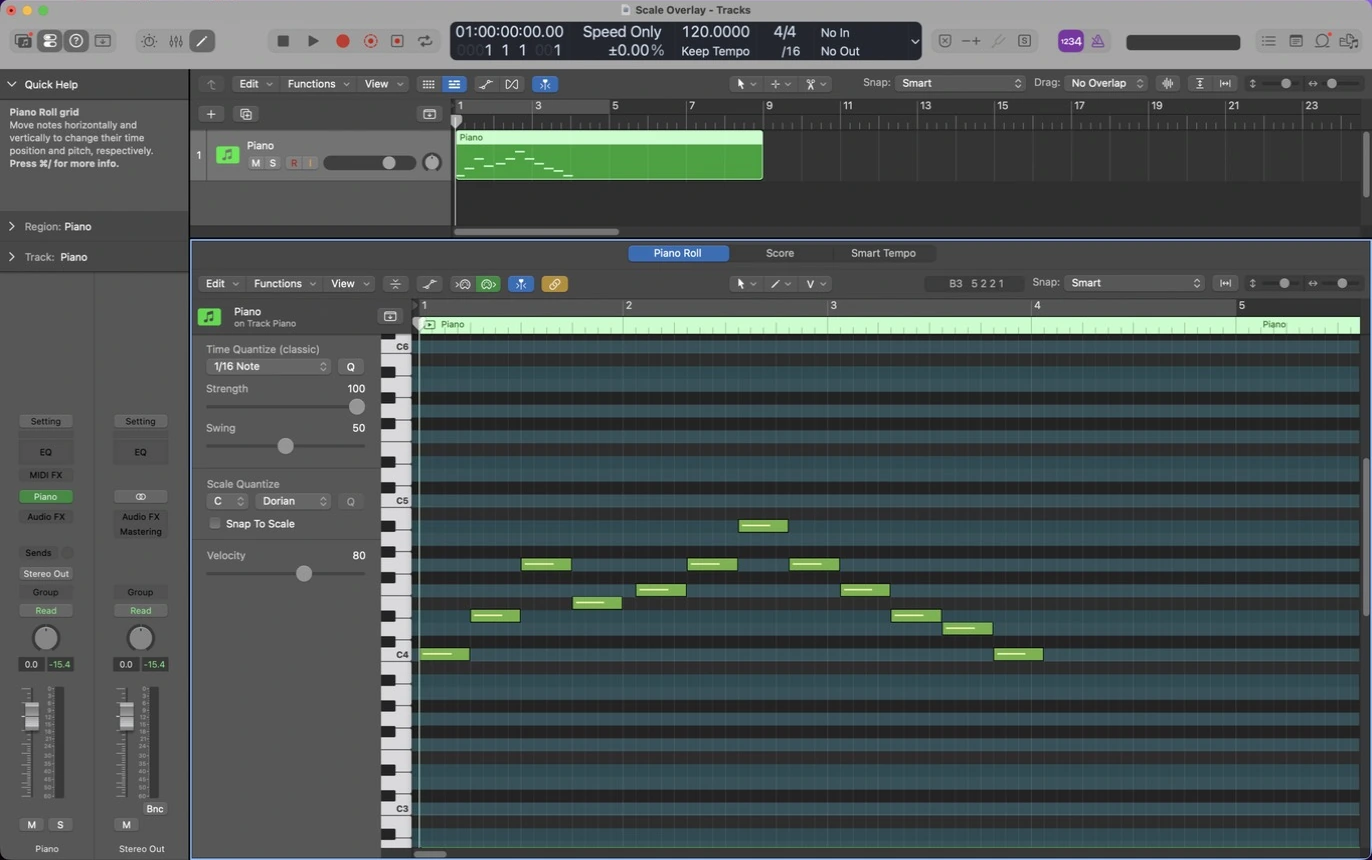
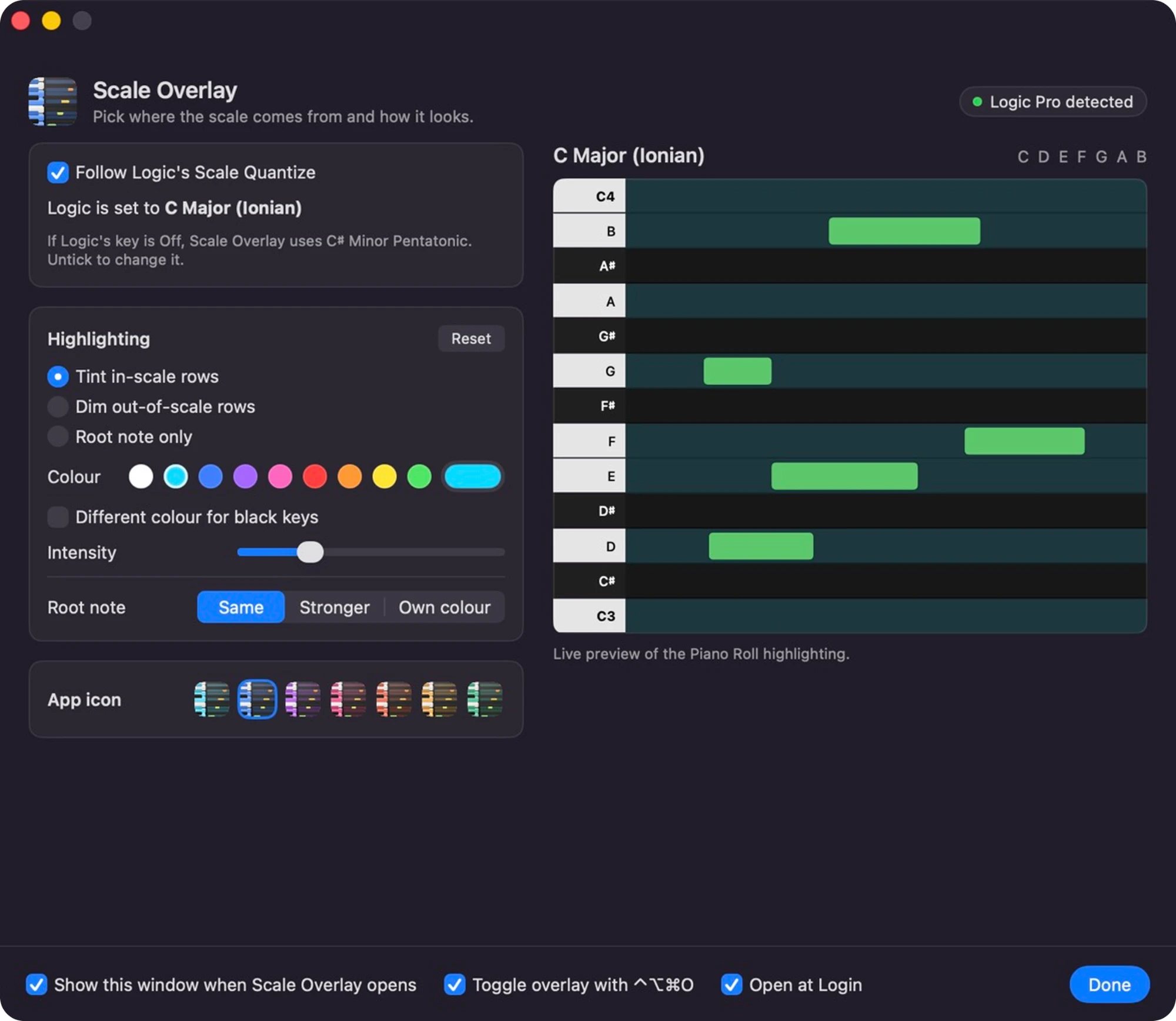
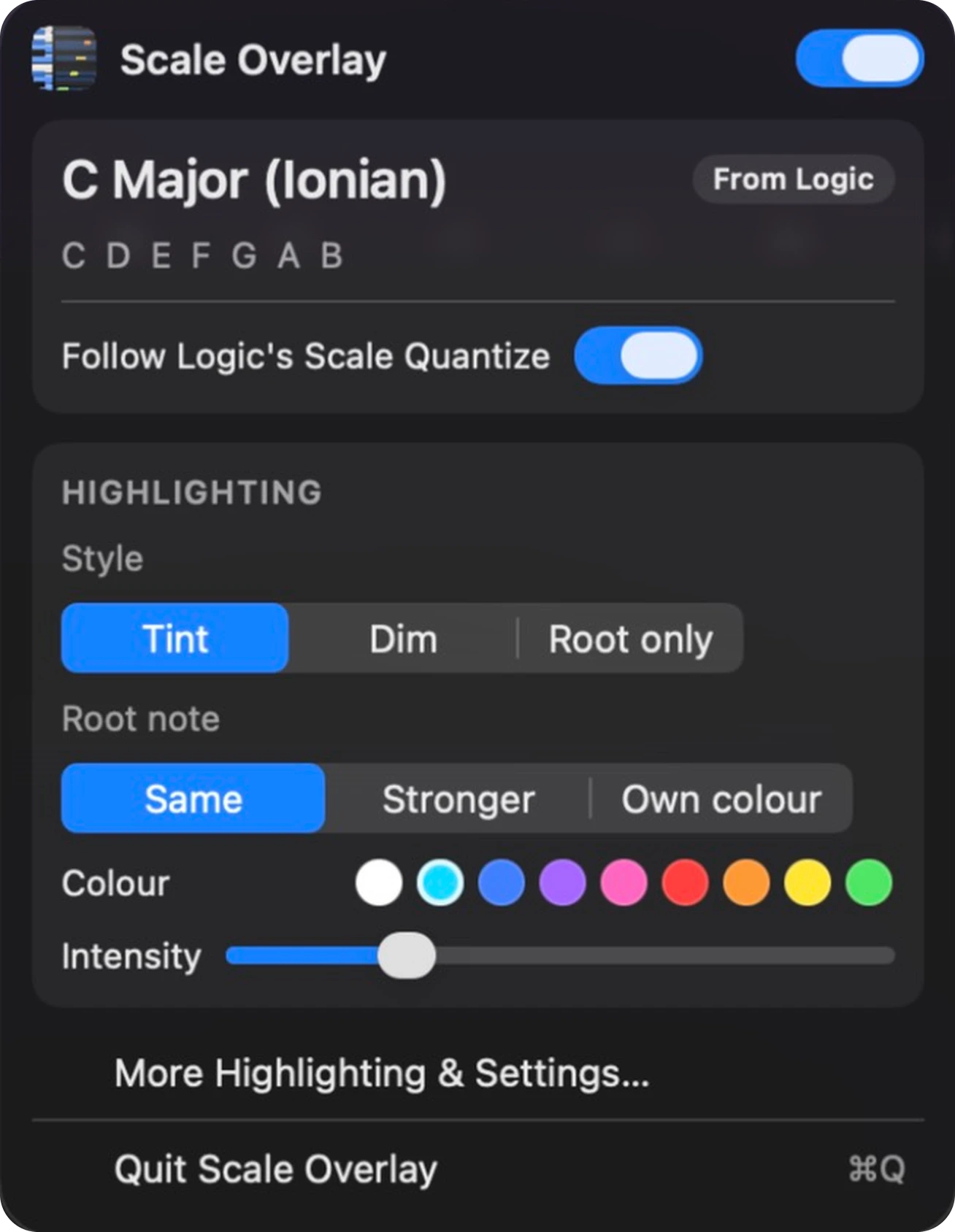
Follows the key and scale set in Logic’s Scale Quantize, so the overlay changes when you do. Or pick your own key and scale.
Every Logic scale, any key
All 28 scales from Logic’s Scale Quantize menu, in all 12 keys, from major and minor to blues, bebop and modes. Scale names appear in Logic’s language.
Tint, dim or root only
Light up in-scale rows, fade the out-of-scale ones, or mark just the root. Your notes are never tinted over.
Your colours
Choose the colour and intensity, give the root note its own colour, and colour the black-key rows differently.
One shortcut, always ready
Toggle it from the menu bar or with ⌃⌥⌘O. It opens at login and sleeps when Logic isn’t running.
Safe by design
It never edits Logic or your projects. No account to create, and it runs offline once activated.
Great if you
- are learning scales and want to see them, not memorise them
- write melodies and basslines and want to stay in key
- switched from FL Studio and miss its scale highlighting
- use Scale Quantize but want to see what it is doing
See it in action
Get started
- Buy the app. Your licence key and download link arrive by email.
- Open the downloaded disk image and drag Scale Overlay into your Applications folder.
- Open the app and enter your licence key. You need an internet connection for this step only.
- Allow Accessibility access when macOS asks. The app needs it to work alongside Logic Pro.
Requirements
- macOS
- macOS 13 Ventura or later
- Works with
- Logic Pro and GarageBand
- Mac
- Apple silicon (M1 and later) or Intel
- Permission
- Accessibility (macOS asks once)
Frequently asked questions
Does it change my MIDI notes?
No. It only draws a highlight over the piano roll. It never edits your Logic Pro project.
Doesn’t Logic’s Scale Quantize already do this?
Scale Quantize moves notes into the scale after you play or draw them, but the piano roll still doesn’t show which rows are in key. Scale Overlay shows you those rows, using the same Scale Quantize setting, so you can see where notes belong before you place them.
Does it work in other DAWs?
Only Logic Pro and GarageBand. It’s built specifically for them, so it can’t be used in Ableton Live, FL Studio or others.
Why does it need Accessibility access?
macOS asks for this permission for apps that work alongside other apps. Scale Overlay only uses it to show the highlighting, never changes your projects, and only runs while Logic Pro or GarageBand is open.
What if Logic’s Scale Quantize is off?
Scale Overlay falls back to the key and scale you picked in the app, and tells you it has done so.
Which scales are included?
All 28 in Logic’s Scale Quantize menu, including major, minor, modes, pentatonics, blues, bebop, diminished and some world scales, in every key.
Is it a subscription?
No. You pay once and the licence is permanent.
Can I use it on more than one Mac?
A licence covers one Mac. To move it, choose Deactivate this Mac in the app and activate on the new one, or email support and we will reset it.
Will it keep working when Logic Pro or macOS updates?
Updates to Logic Pro or macOS can change things, so there’s no guarantee it will keep working after every update, or that an update to fix it will always be possible. Flowfix Audio is run by one developer, and I’ll do my best to fix problems quickly if they come up. Any updates are free for existing customers.
How do I get help?
Use the support page and we will get back to you by email.
Still stuck? Contact support.